For every desk
A calculator on every desk. One teacher runs the room.
Forty calculators charge, count and update themselves in one case.
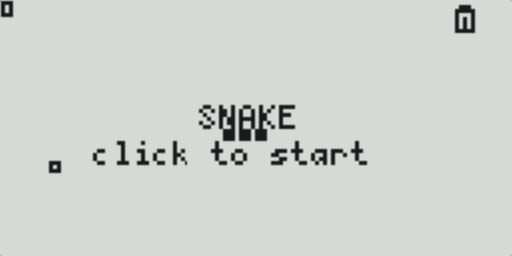
A real calculator students program in Clojure, built so one teacher can run a whole room of them. We're starting with a small group of pilot schools.
For every desk
Forty calculators charge, count and update themselves in one case.
Where it lives
No 200 lb cart. The case rolls like carry-on luggage, lifts onto a desk by its top handle, and one set can serve several classes.
For teachers
Pick a preset, and every calculator in the case takes it with the day's lesson pack, in about the time one takes.
For teachers
The case knows which calculator is missing before anyone leaves. A spare becomes #14 in two steps.
For teachers
Turn off sound, hide the games, or switch the class to a test-day preset. Students can't switch it back, and the calculator itself always works.
For students
Real Clojure on real keys. Prefix notation takes one lesson, and the free lessons work today, in the browser.
Try the free lessonsThe workbench
Write it on a school Chromebook and run it in the simulator, or plug the calculator in and change the game while it runs. You decide when everyone saves, which lesson step they are on, and whether Sound and Sprites are open.
Open the workbenchFor principals
Calculators count minutes, lessons and apps built. Principals see classes, not children, and groups under 10 are hidden.
Nothing is counted until your district signs a data agreement.
For districts
Adoption and upkeep across every school, with nothing that names a child.
For school IT
One policy, scoped to our site, lets a USB cable link our calculators and case to your Chromebooks. It is optional: without it, class work still runs in the browser. No installs and no student accounts.
For parents
Your child sends a link, and the game plays in your browser. No ads, no account, no device needed.
For teachers
No accounts to make, nothing to install, no chargers to chase. Your day gets one new step: pick a preset.
For principals
A pilot is one teacher for one grading period, and it ends with your school's first usage report.
For districts
A data agreement, an accessibility report and an IT guide. Nothing is stored before the agreement, and student work is deleted at the end of the year.
For school IT
The case talks only to the teacher's Chromebook, over Bluetooth or a USB-C cable. A student can plug their calculator into a Chromebook by cable, if you allow it. The calculators have no radio, and nothing needs a Wi-Fi password.
For your teachers
Ready before the bell, counted at a glance, and no extra work. Their side has its own page.
See the teachers' pageFor parents
Real programming in Clojure, a language working engineers use, on a calculator that still does their maths homework.
For parents
The free lessons and the calculator run in your browser at home, so they can show you what they did in class.
Try the free lessonsFor parents
No ads, no chat, and no account for your child. The school counts minutes and lessons, never what they type.
For parents
The same calculator is coming to Crowd Supply. Join the list and we'll email you when it's ready.
Get on the listClassroom pilots
Pilot schools get first access and help shape the lessons.
Join the classroom waitlistAsk about a pilotAsk for the paperwork packQuestions for usSchools on the list get first access to pilots and help decide what we build.
You're on the classroom list.
We'll email you when pilots open. Have a question now? Use the form.
Thanks, your question is on its way.
You'll get a reply by email, usually within a few school days.